

Shared Code
Share pieces of transformation code between otherwise unrelated transformations, in the UI and through the API.
Shared code lets you share pieces of code between otherwise unrelated transformations. Write a snippet once, link it into as many transformations as you like, and edit it in one place.
It is a sibling of variables: both make transformation code more dynamic and both are resolved before the transformation runs, but variables substitute values while shared code substitutes code. Shared code can contain variables of its own — see Shared Code with Variables.
Creating Shared Code
Section titled “Creating Shared Code”Like variables, shared code is evaluated before the transformation runs. This means that it does not interfere with your transformation code.
There are two ways how to create shared code --- from the Shared Codes page:
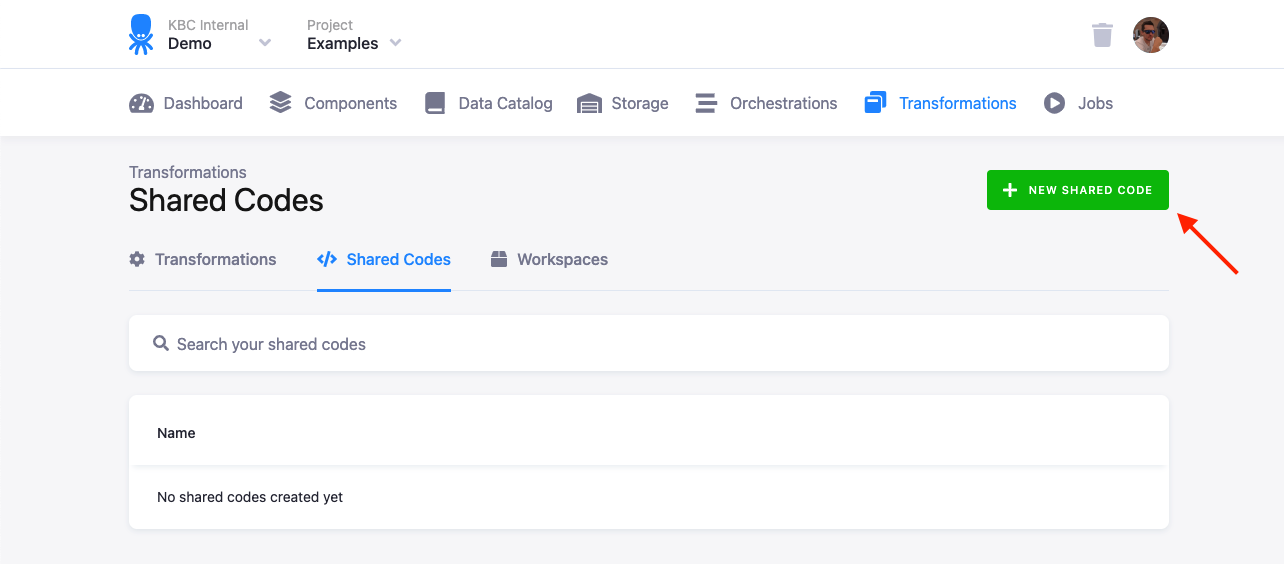
Or from an existing transformation code:
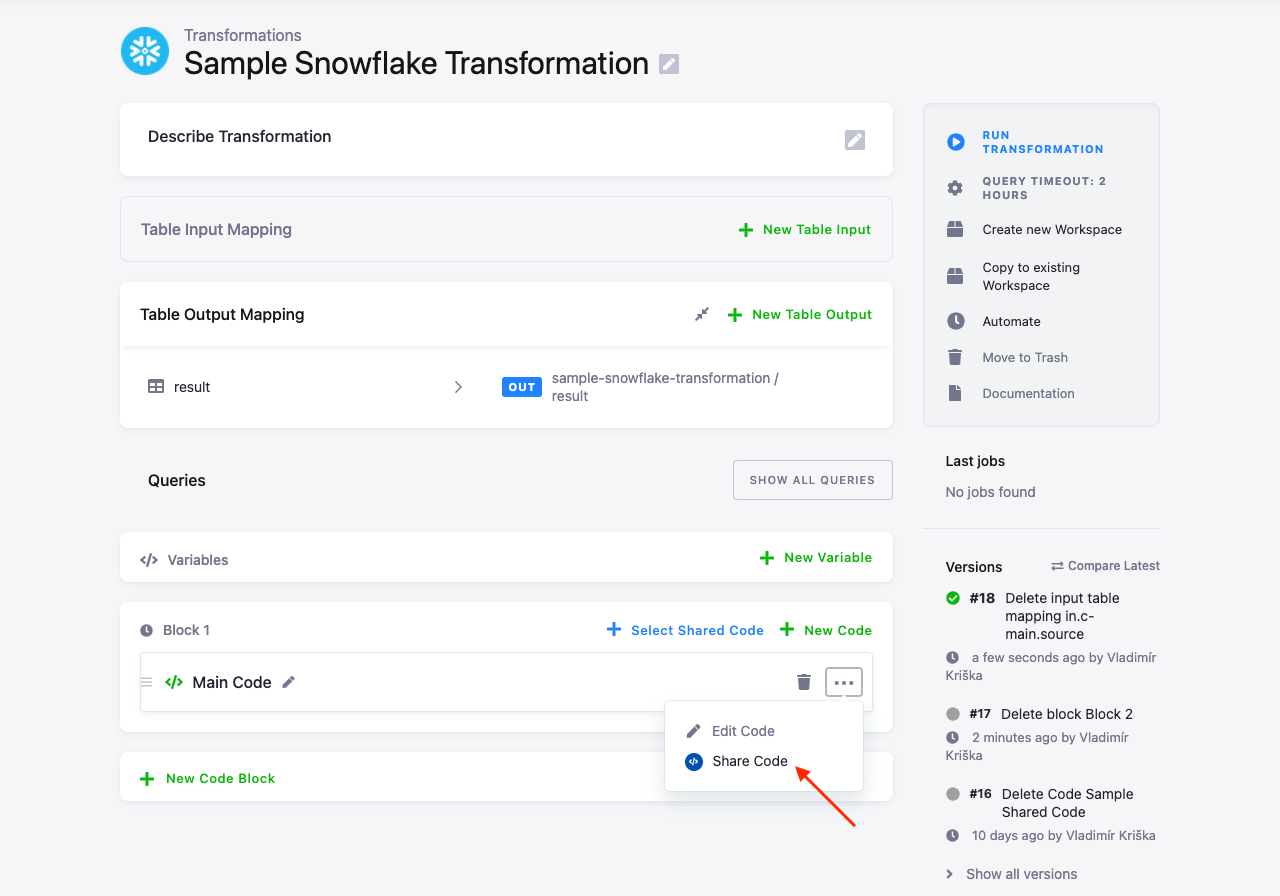
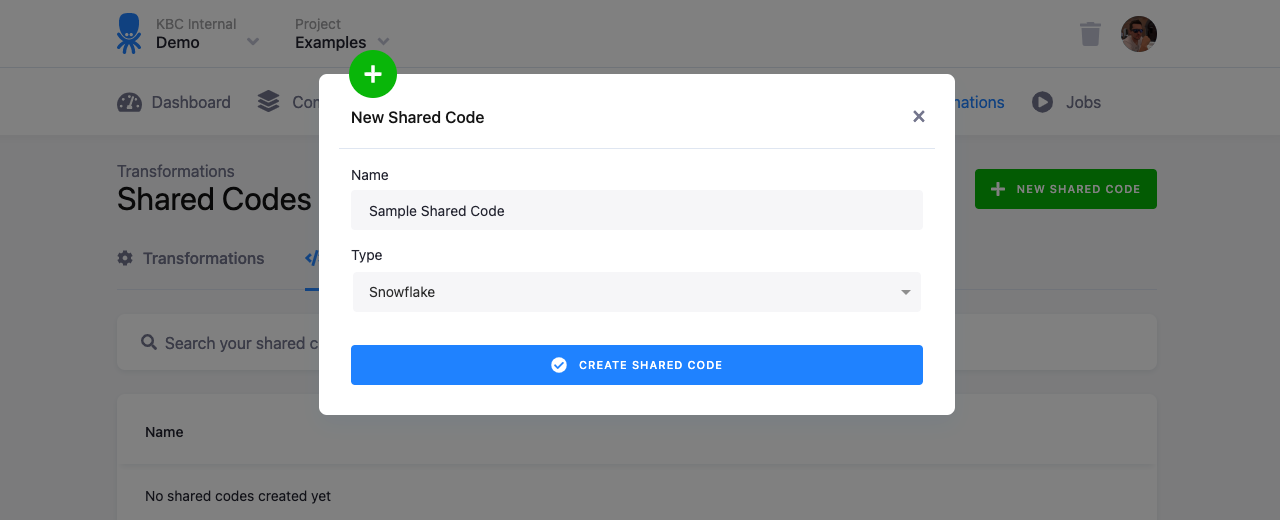
You have to enter the name for the shared code when creating a new one. When you share an existing piece of transformation code, the code and code type are filled in automatically.
Using Shared Code
Section titled “Using Shared Code”You can use shared code when editing a transformation:
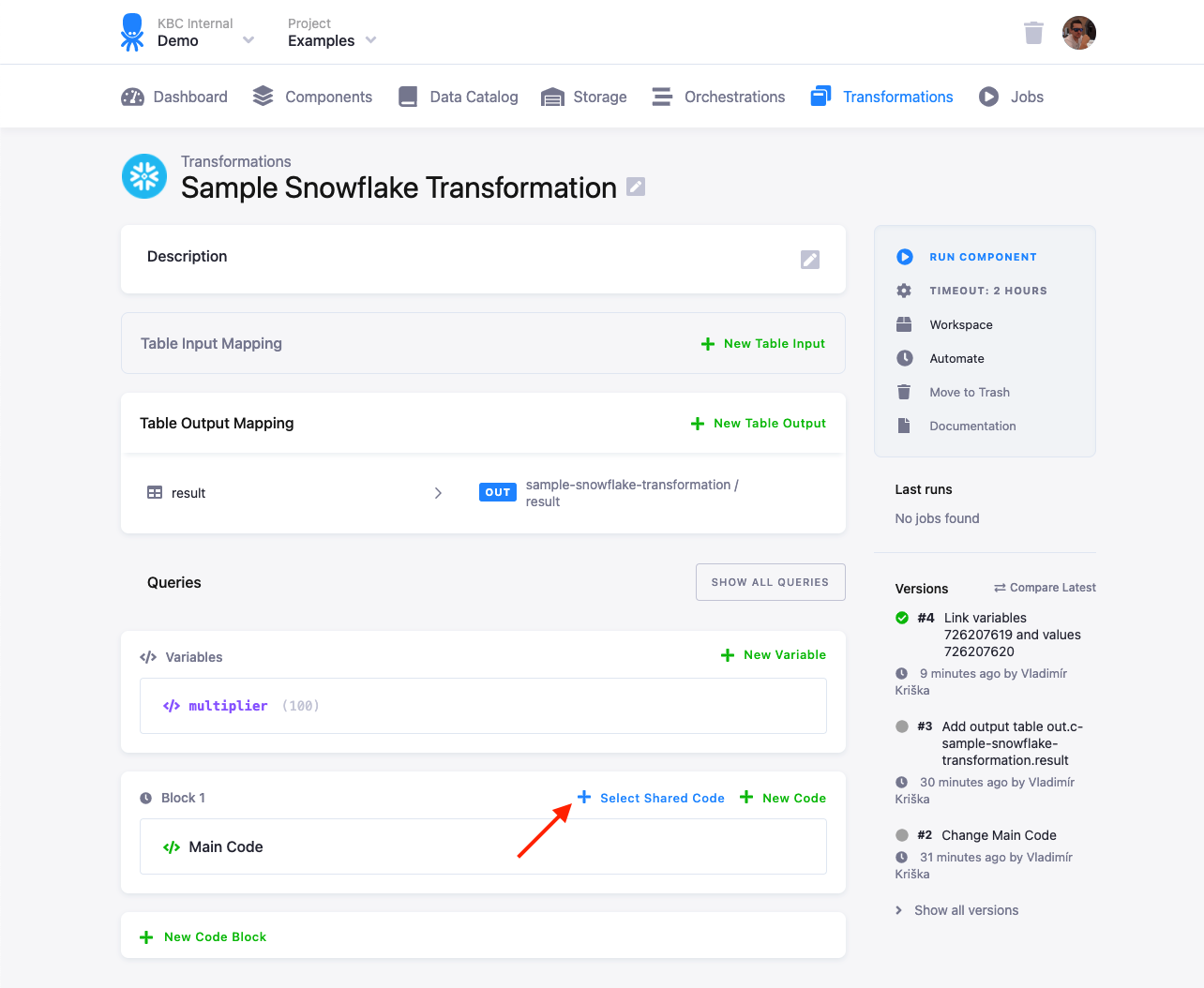
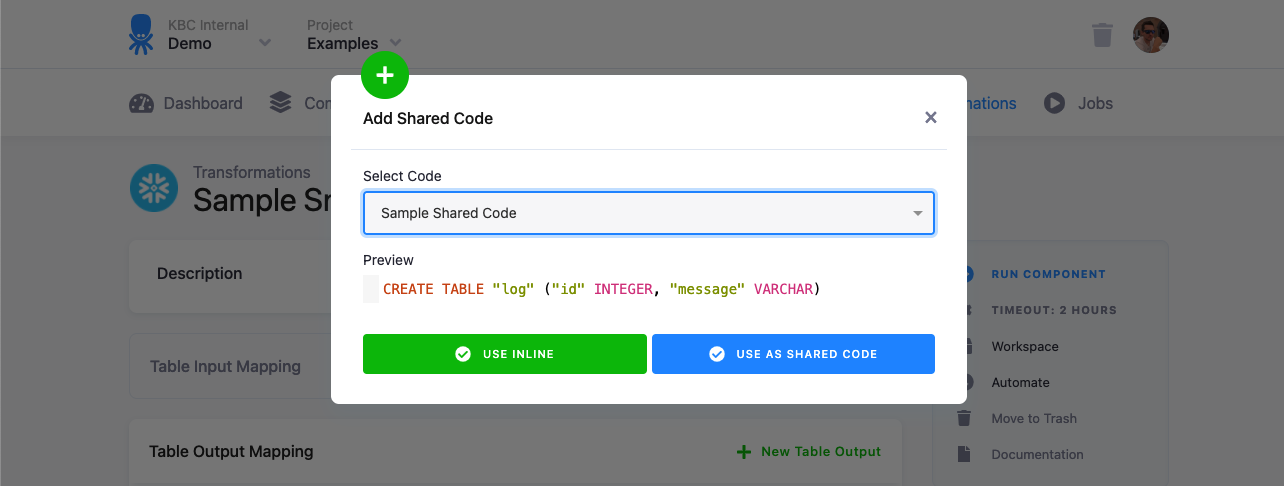
Select the shared code you want to use. There are two options how you can use it:
- Use Inline --- This will make a copy of the shared code in the transformation you’re editing. There won’t be any link between the transformation and the shared code.
- Use as Shared Code --- This will link the shared code with the transformation. When you modify the shared code, it will affect all linked transformations.
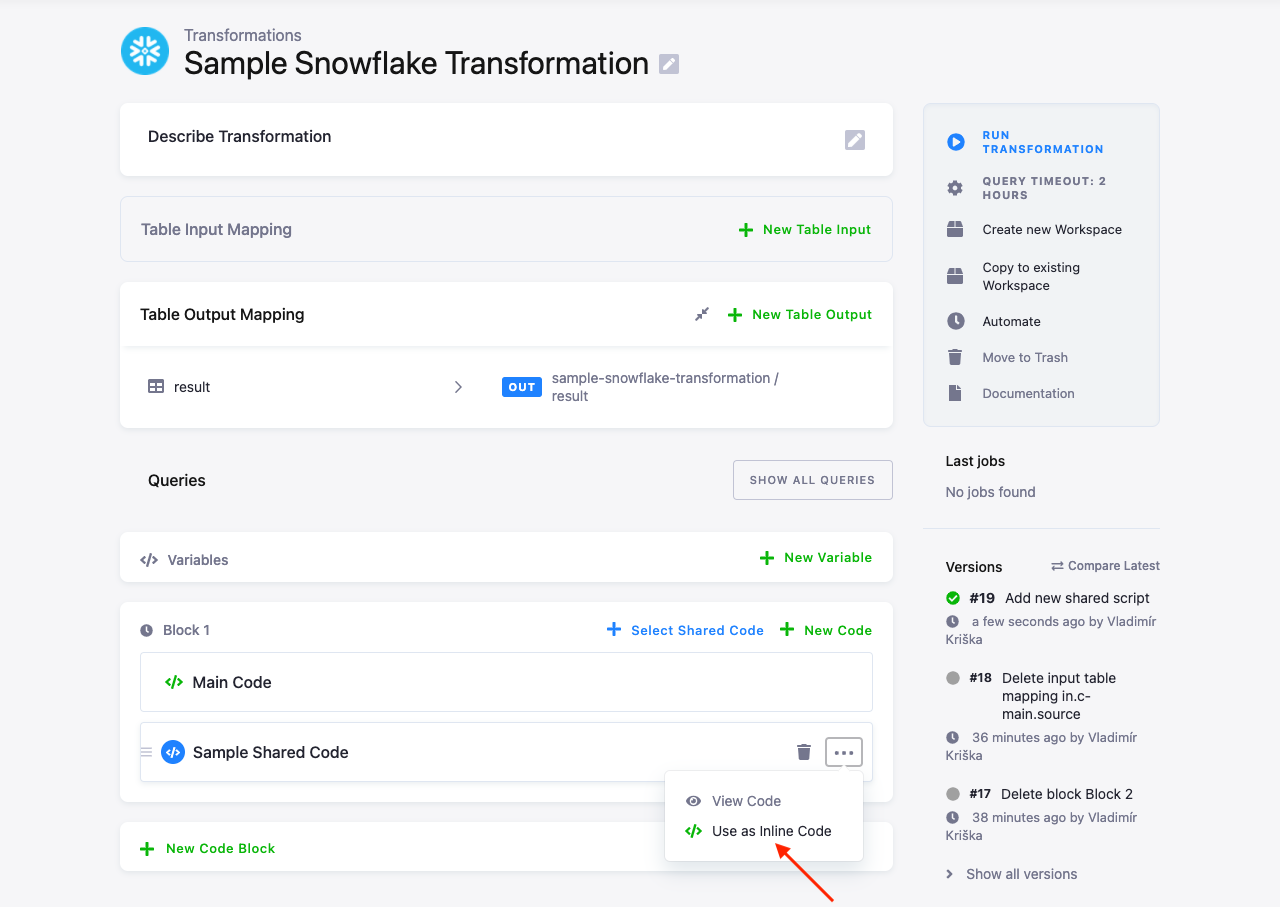
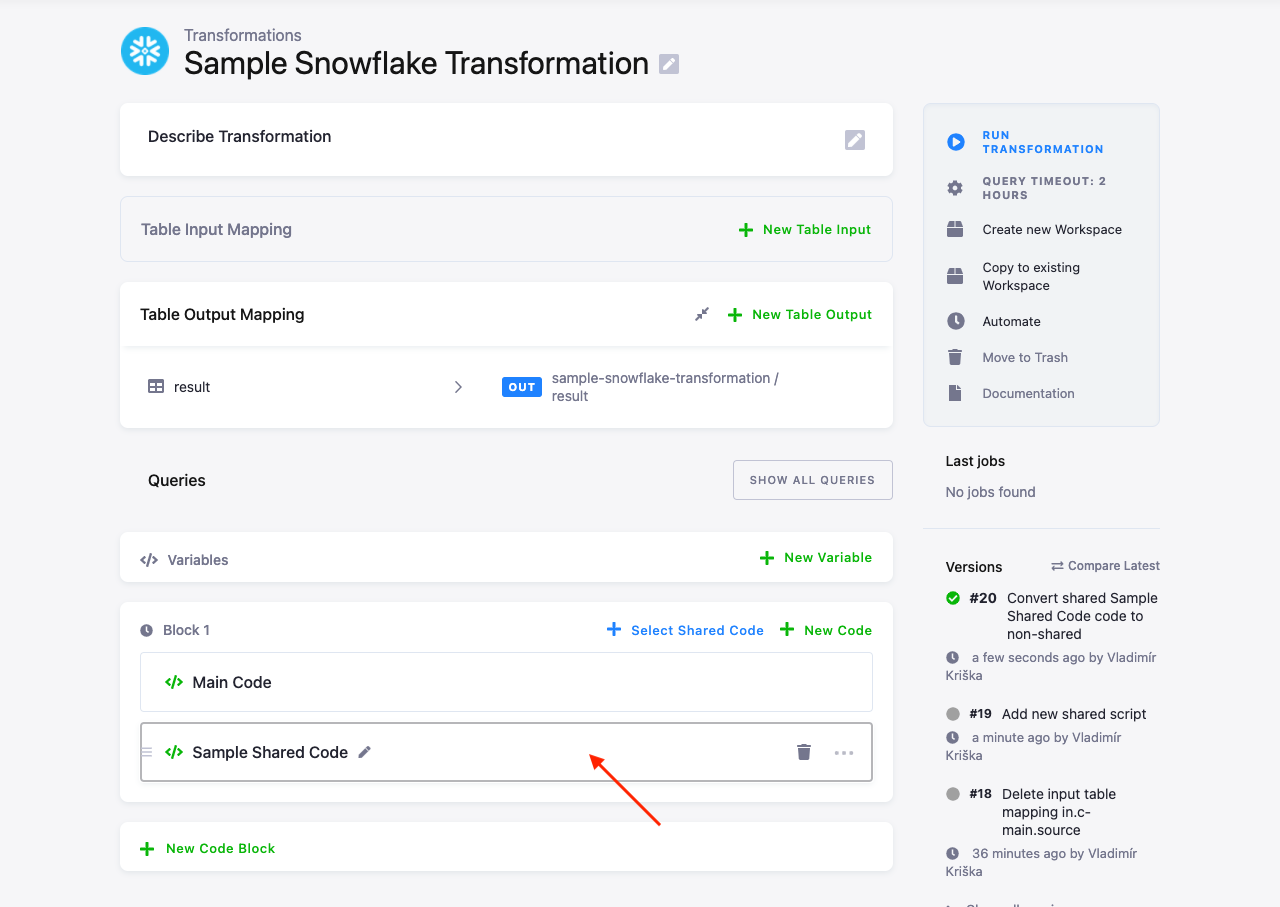
When the code is inserted as shared code, you can always unlink the transformation from the shared code by selecting Use as Inline Code from the dots menu:
Modifying Shared Code
Section titled “Modifying Shared Code”When a shared code is linked to transformations, you can review its usage in the Usage section on the shared code detail page:
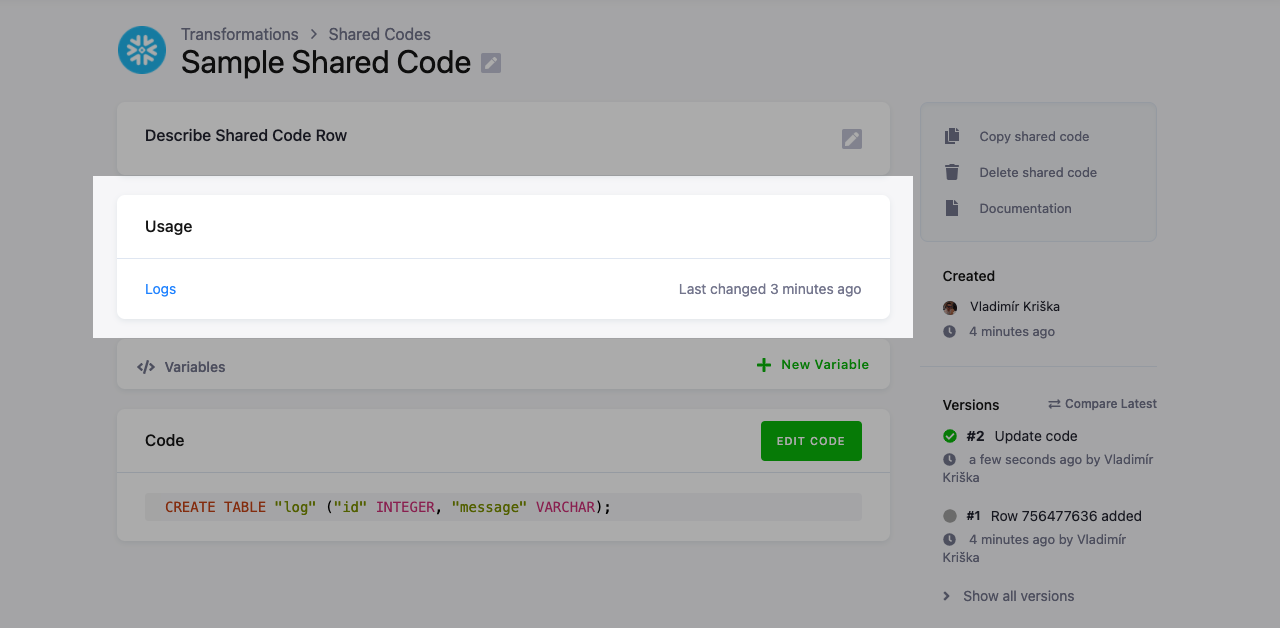
You’ll see a list of transformations to which the shared code is linked. The transformations in which the shared code was used inline are not listed, because there is no link.
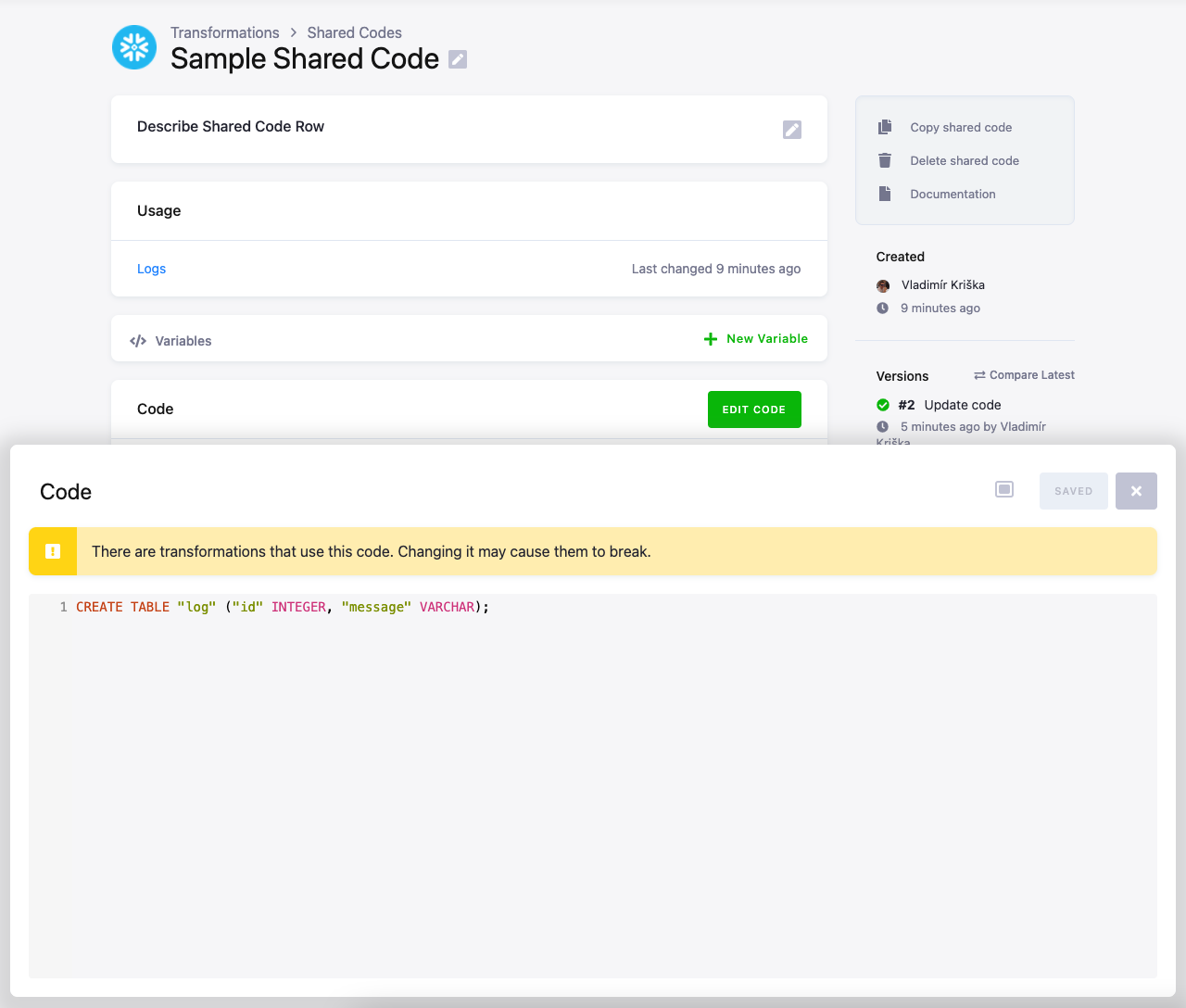
When you attempt to edit a shared code, you’ll see a warning that there’s a potential to break the transformations in which it is used.
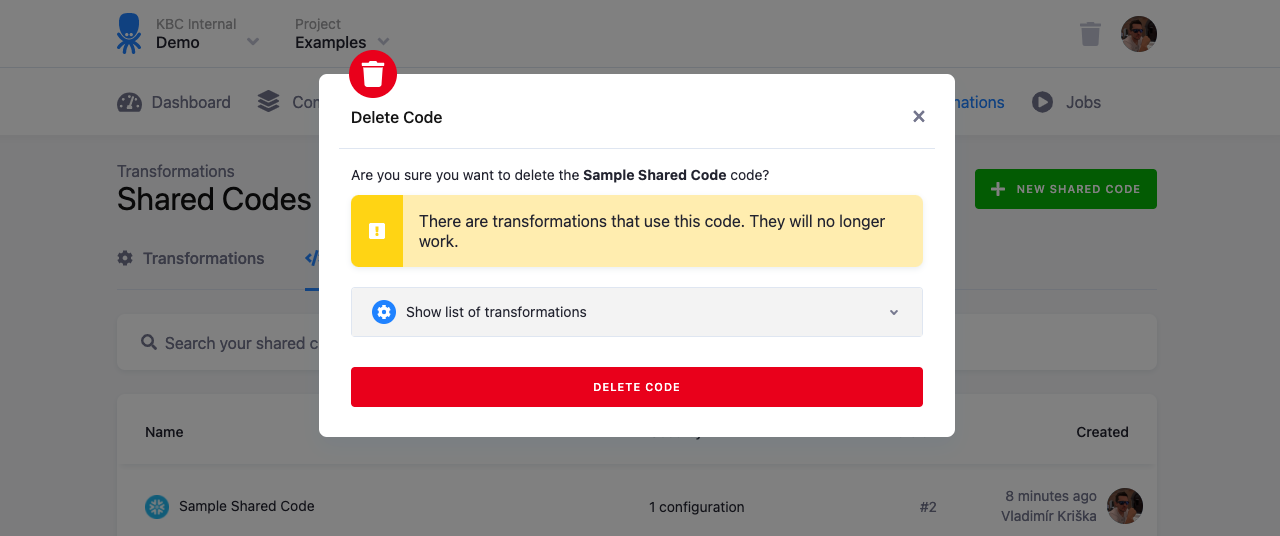
When you try to delete a shared code, you’ll see a list of the transformations which use it. When you delete a shared code that is used, the transformations using it will stop working.
Transformations referencing a deleted shared code fail with a message similar to this:
Shared code configuration cannot be read: Row 10433 not foundExample Using Shared Code
Section titled “Example Using Shared Code”Let’s say that you have a lot of SQL transformations with a table in input mapping that requires some preparation.
For example:
CREATE OR REPLACE TABLE "result" AS SELECT *, "second" * 42 AS "larger_second" FROM "source";Because of Clone mapping, you have
to drop the _timestamp column from the source by executing this query:
ALTER TABLE "source" DROP COLUMN "_timestamp";If you have many transformations that require the table to be prepared in the same way, you can create the following shared code:
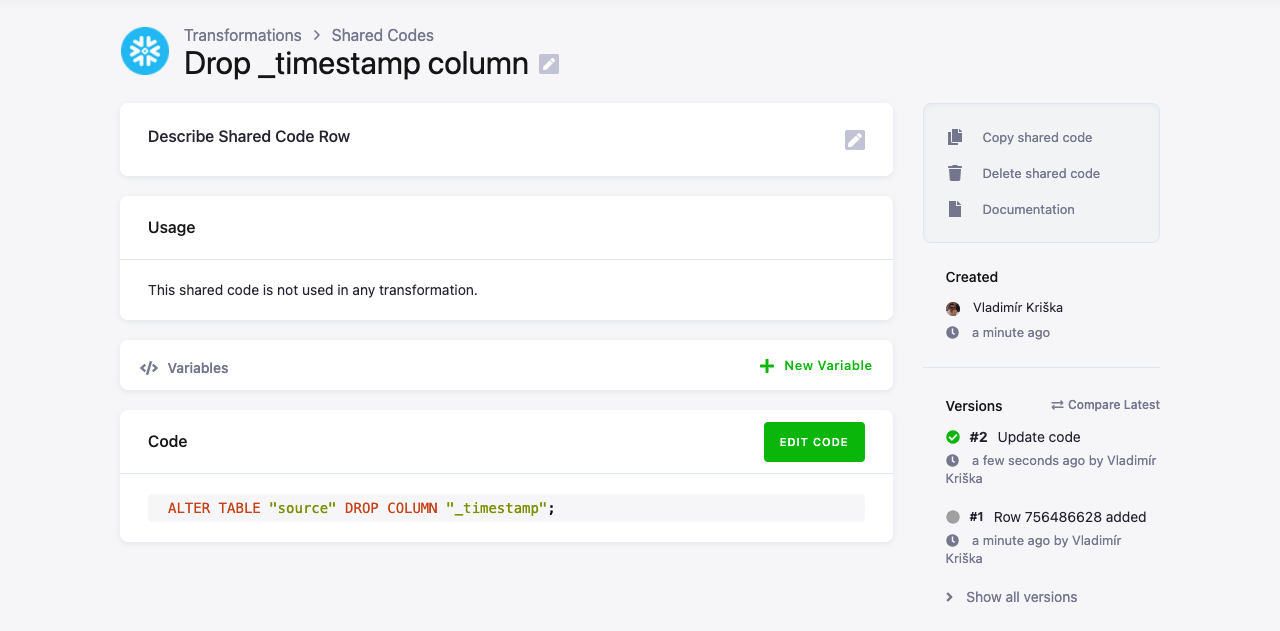
Note: When defining shared code for Snowflake, the shared code can contain only one query.
Important: The SQL query must end with a semicolon ;
Add the shared code to the transformation. Drag & Drop it before the main transformation code:
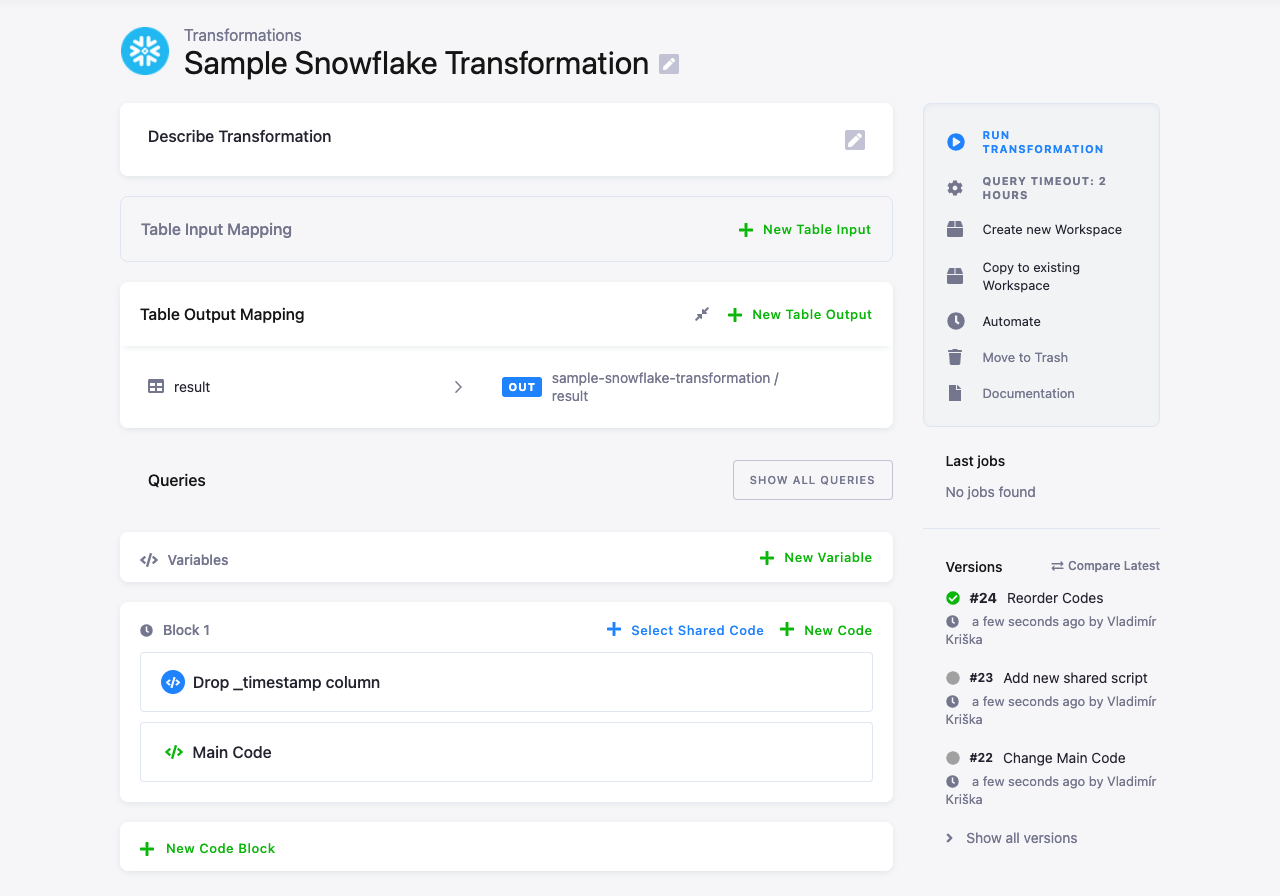
The main code being:
CREATE OR REPLACE TABLE "result" AS SELECT "first", "second" * 42 AS "larger_second" FROM "source";When you run the transformation, you can see in the events what code has been executed:

Example Shared Code with Variables
Section titled “Example Shared Code with Variables”You can also define variables for shared code.
For example, we can extend the
above example
and parametrize the name of the table from which the _timestamp column is dropped.
Add the source variable and modify the shared code to:
ALTER TABLE "{{source}}" DROP COLUMN "_timestamp";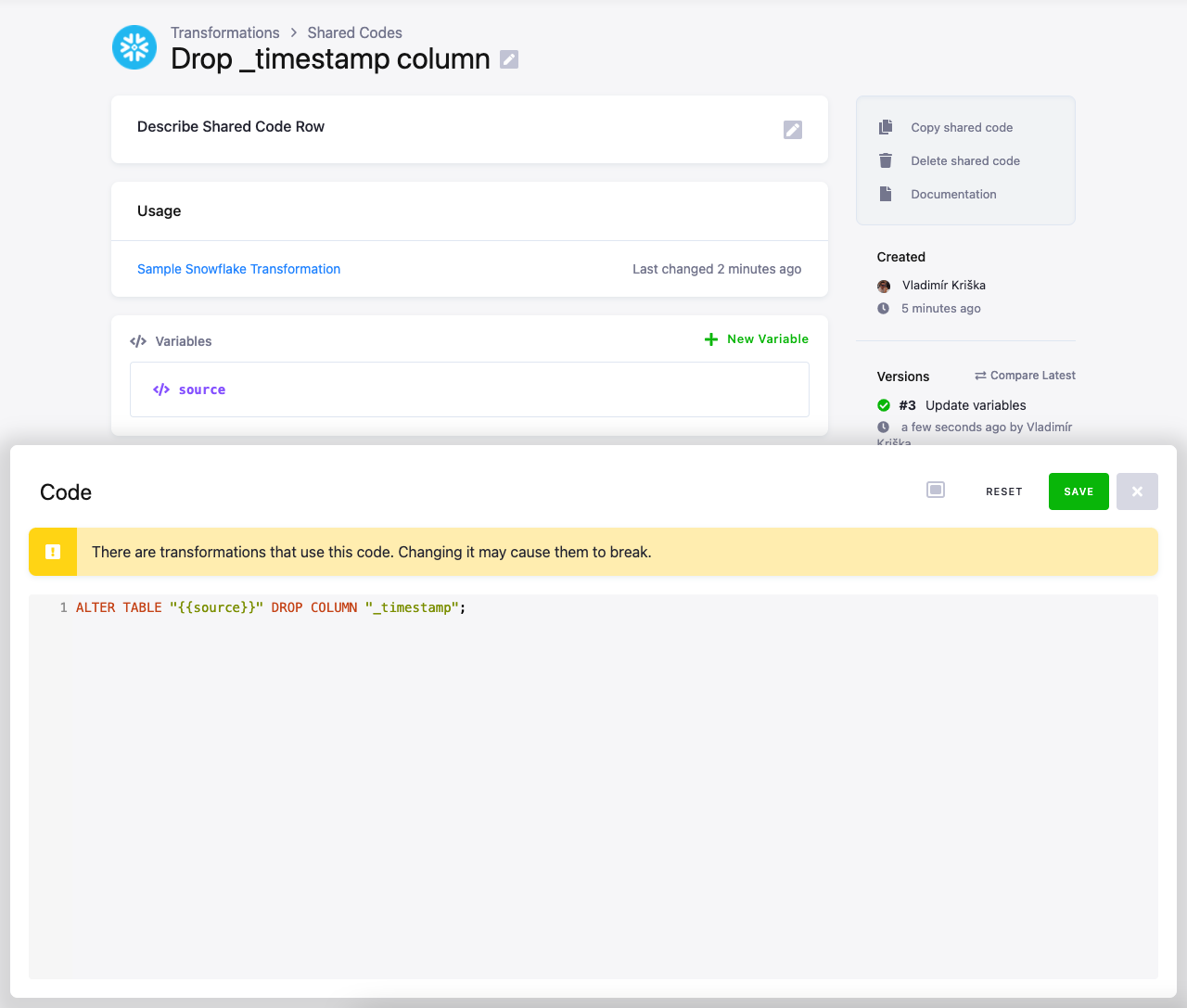
The transformation will detect that the value for the source variable is not defined:
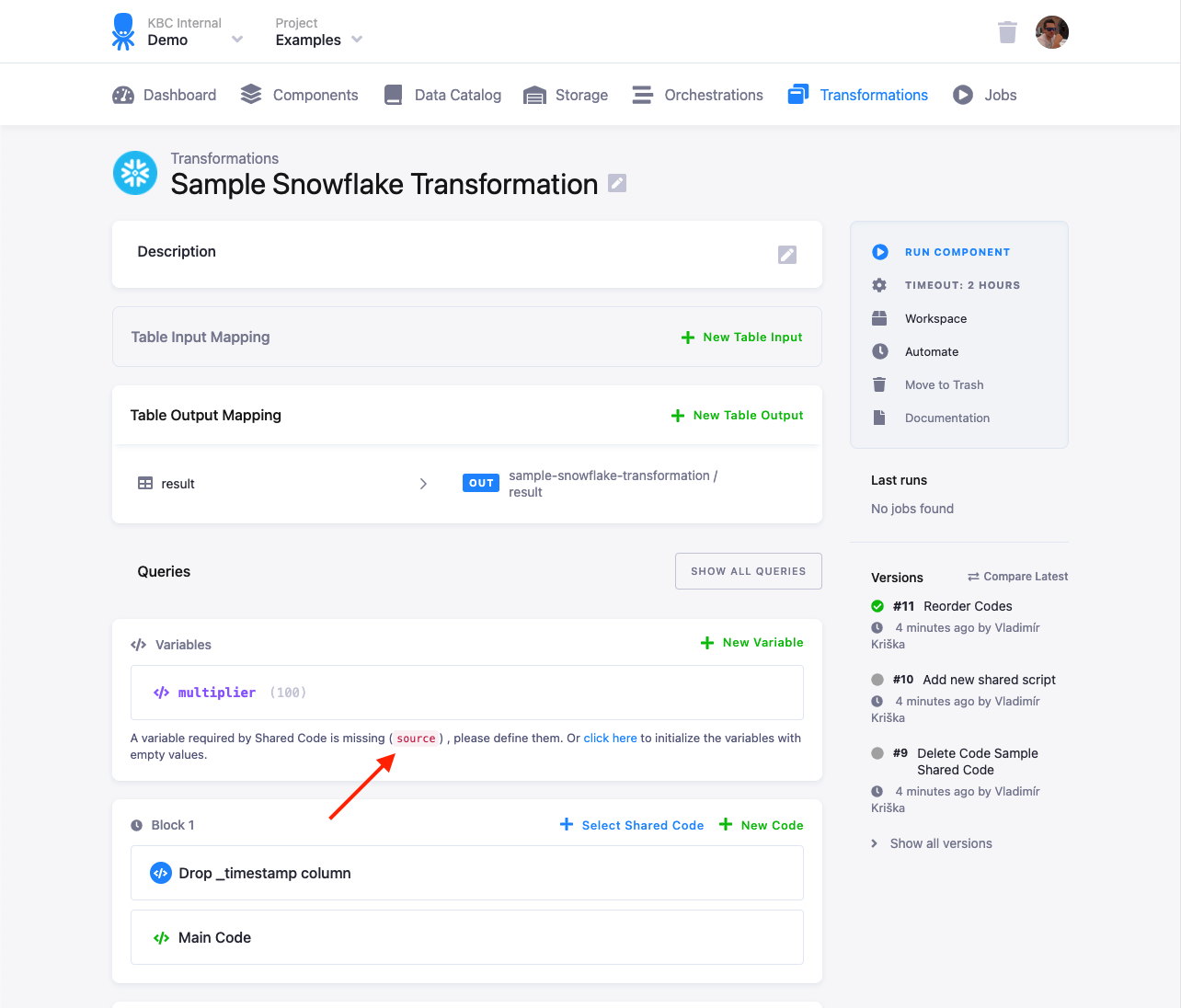
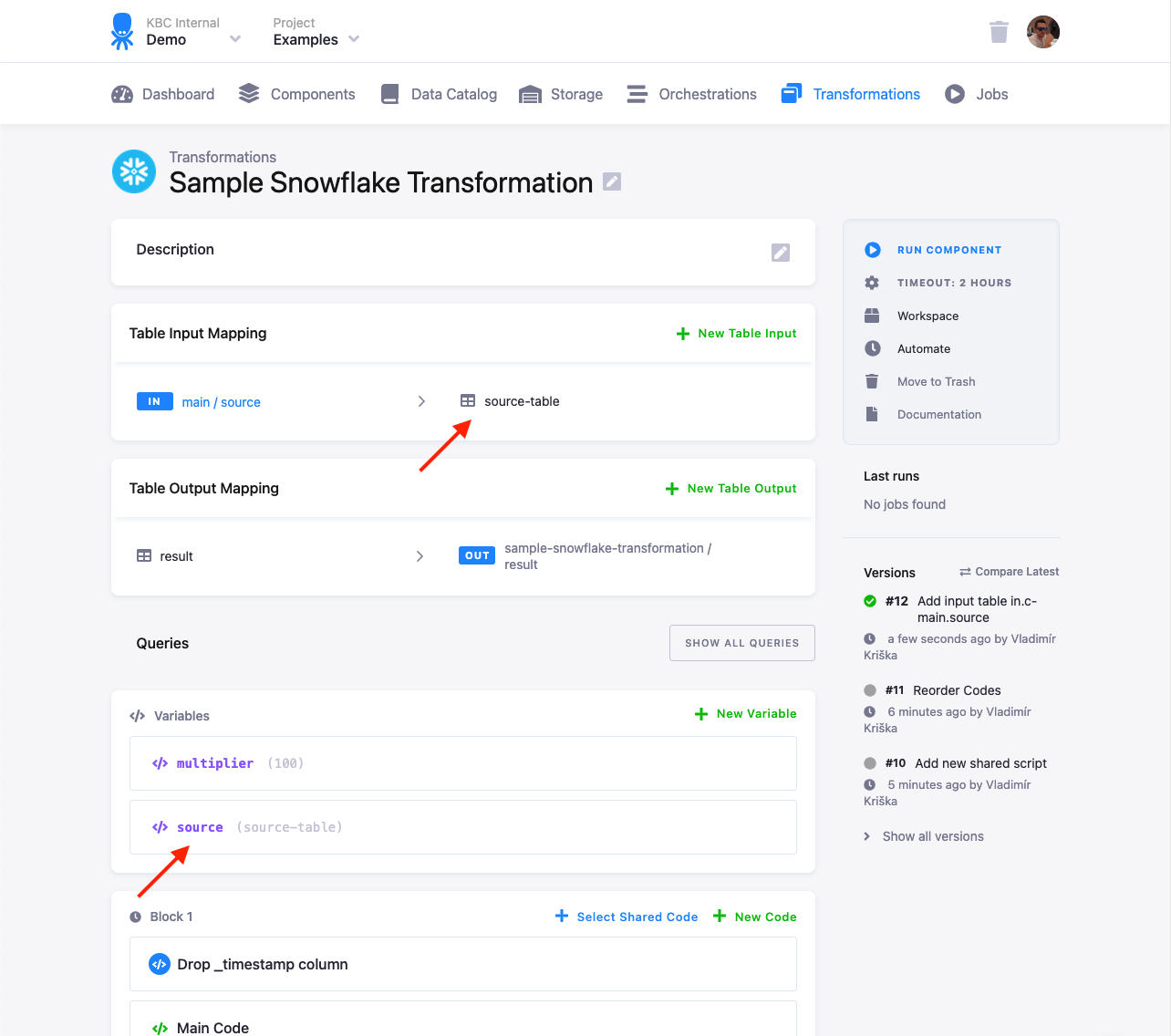
Set the source value to the destination name of the
table in the Table Input Mapping (source-table in this case):
When you run the transformation, you can verify the executed queries in the job events. There
you can see that the shared code query manipulated the source-table:

Shared Code via the API
Section titled “Shared Code via the API”Shared code allows to share parts of configuration code. In a
configuration it is also replaced using the Moustache syntax. Shared code
is referenced using shared_code_id and shared_code_row_ids configuration nodes. Unlike variables, shared code can’t
be overridden at runtime, so there are no parameters to set when running a job or a flow.
Shared code can, however, contain its own variables which need to be merged to those of the main configuration.
Creating Shared Code with the API
Section titled “Creating Shared Code with the API”Shared code pieces is stored as configuration rows of a dedicated component keboola.shared-code. Before creating a
piece of a shared code, you first have to create a configuration. Notice that the UI uses certain configurations for
certain components so you might want to check the existing configurations of keboola.shared-code component before
crating a new configuration.
To create a configuration, use the create configuration API call. The configuration content is ignored, i.e all you need to provide is name:
curl --location --request POST 'https://connection.keboola.com/v2/storage/components/keboola.shared-code/configs' \--header 'X-StorageAPI-Token: my-token' \--header 'Content-Type: application/x-www-form-urlencoded' \--data-urlencode 'name=python-code'Let’s assume that the created configuration ID is 618884794.
Next step is to create the shared code piece itself. To do this create a configuration row of the above configuration
with the configuration row content containing a piece of share code, for example:
{ "code_content": [ "from os import listdir\nfrom os.path import isfile, join\n\nmypath = '\''/data/in/files'\''\nonlyfiles = [f for f in listdir(mypath)]\nprint(onlyfiles)\nmypath = '\''/data/in/user'\''\nonlyfiles = [f for f in listdir(mypath)]\nprint(onlyfiles)" ]}It is advisable to set a reasonable rowId of the row, because it will be used later to reference the shared code:
curl --location --request POST 'https://connection.keboola.com/v2/storage/components/keboola.shared-code/configs/618884794/rows' \--header 'X-StorageApi-Token: my-token' \--header 'Content-Type: application/x-www-form-urlencoded' \--data-urlencode 'configuration={ "code_content": ["from os import listdir\nfrom os.path import isfile, join\n\nmypath = '\''/data/in/files'\''\nonlyfiles = [f for f in listdir(mypath)]\nprint(onlyfiles)\nmypath = '\''/data/in/user'\''\nonlyfiles = [f for f in listdir(mypath)]\nprint(onlyfiles)"]}' \--data-urlencode 'rowId=dumpfiles'The above example creates a piece of shared python code named dumpfiles which contains the
following python code:
from os import listdirfrom os.path import isfile, join
mypath = '/data/in/files'onlyfiles = [f for f in listdir(mypath)]print(onlyfiles)mypath = '/data/in/user'onlyfiles = [f for f in listdir(mypath)]print(onlyfiles)
Referencing Shared Code in a Configuration
Section titled “Referencing Shared Code in a Configuration”To use a piece of shared code, you have to reference it in a configuration using shared_code_id which is the ID of the shared code configuration and shared_code_row_ids which is an array of IDS of shared code pieces. With the above example you need to add the following nodes to the configuration:
{ "storage": {...}, "parameters": {...}, "shared_code_id": "618884794", "shared_code_row_ids": ["dumpfiles"]}With that all moustache references to {{ dumpfiles}} will be replaced by the shared code piece. All other
moustache references will be kept untouched and be treated like variables. E.g: the following configuration:
{ "storage": {}, "parameters": { "blocks": [ { "name": "Main block", "codes": [ { "name": "Main code", "script": ["{{ someOtherPlaceholder}}"] }, { "name": "Debug", "script": ["{{ dumpfiles}}"] } ] } ] }, "variables_id": "618878103", "variables_values_id": "618878104", "shared_code_id": "618884794", "shared_code_row_ids": ["dumpfiles"]}Will be modified to:
{ "storage": {}, "parameters": { "blocks": [ { "name": "Main block", "codes": [ { "name": "Main code", "script": ["{{ someOtherPlaceholder}}"] }, { "name": "Debug", "script": ["from os import listdir\nfrom os.path import isfile, join\n\nmypath = '\''/data/in/files'\''\nonlyfiles = [f for f in listdir(mypath)]\nprint(onlyfiles)\nmypath = '\''/data/in/user'\''\nonlyfiles = [f for f in listdir(mypath)]\nprint(onlyfiles)"] } ] } ] }, "variables_id": "618878103", "variables_values_id": "618878104", "shared_code_id": "618884794", "shared_code_row_ids": ["dumpfiles"]}The variables then need to contain someOtherPlaceholder variable in order to produce a fully functional configuration.
The same way if the shared code piece contains any variables, they have to be set when running the configuration.